Real-time claims
From invoice to claim, without leaving Bookem.
Use the patient details and billing codes already on your invoice to submit to medical aid schemes. See the response in Bookem, then follow the claim through to payment.
Watch the claims demoActive real-time claim registration required.
Start with the invoice you already have
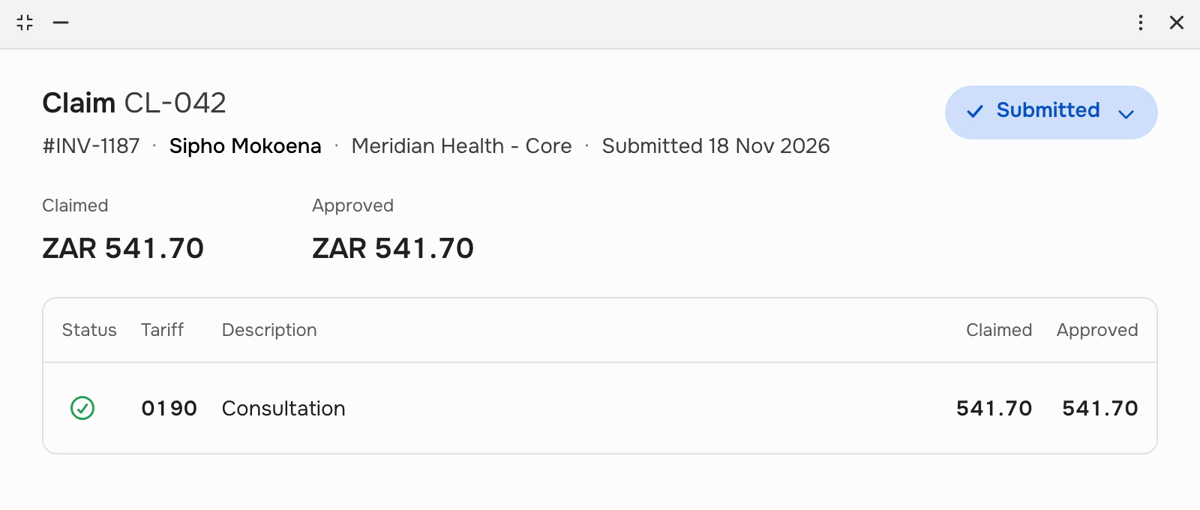
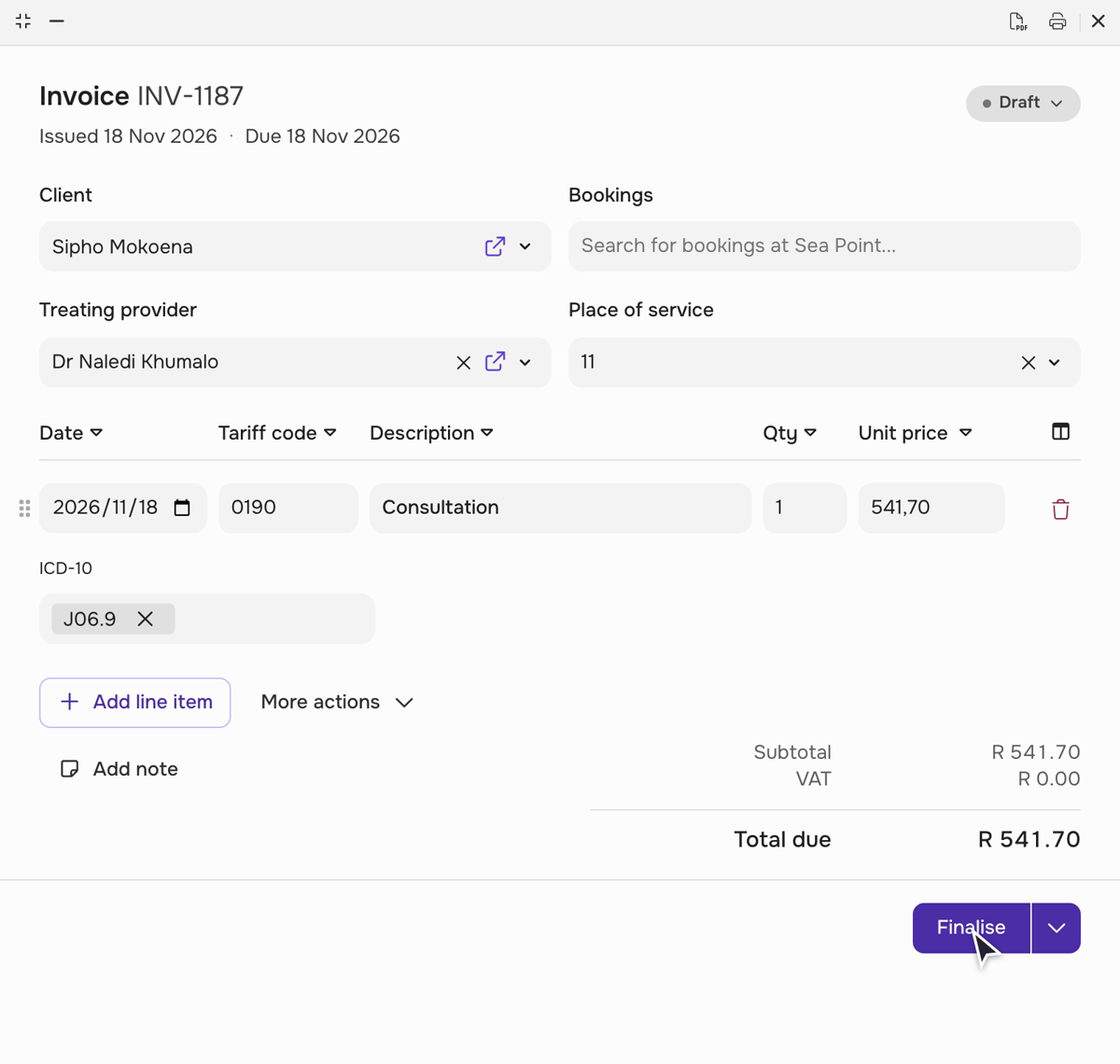
The patient, treating provider and billing codes carry through from your invoice into the claim. Review the details, select the lines and submit.
Apply scheme rates before you finalise
Choose Apply scheme rates from the invoice menu to price your consultation using the scheme tariff. Finalise the invoice when you are ready to claim.
Explore billing and paymentsWatch the workflow
One consultation, from billing to payment
Follow a consultation through the actual Bookem screens in this short demo.
- Apply the scheme rate and finalise the invoice.
- Start the claim, review its lines and submit.
- Read the scheme response. This example is approved.
- When the scheme pays, the remittance matches the payment to the invoice. Open the invoice to see the recorded payment and remaining balance.
A real-time response is the scheme’s claim decision. Payment follows the scheme’s payment schedule.
0:00 / 0:32
0:00 / 0:13
See which invoice the scheme paid
Bookem imports electronic remittance advice (eRAs) and matches the lines to claims. Open the linked invoice directly from the remittance to check its balance.
With a remittance payment method configured for your practice number, imported scheme payments are recorded against the matched invoices.
In this example, the remittance shows the consultation paid in full. The linked invoice shows the payment and a zero balance.
What do I need before submitting?
Your practice number needs an active real-time claim registration. Set up your treating providers and patient medical aid details, then finalise an invoice with the required billing codes.